Managing the Built-in Interfaces
Indigo has 4 built in interfaces: Z-Wave, Insteon, X10, and Virtual Devices.
You manage them from the Interfaces menu:
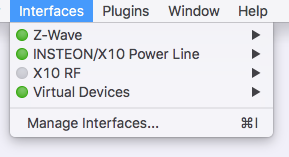
The first thing you'll notice is the dot beside the names in that menu. A green dot means that the interface is enabled. If the dot is gray, it means that it's disabled. This allows you to see what's enabled by just looking at the menu. Each interface (and its submenu) is described below. If you select the Manage Interfaces... menu item, it will open the Preferences dialog with the Interfaces tab selected:
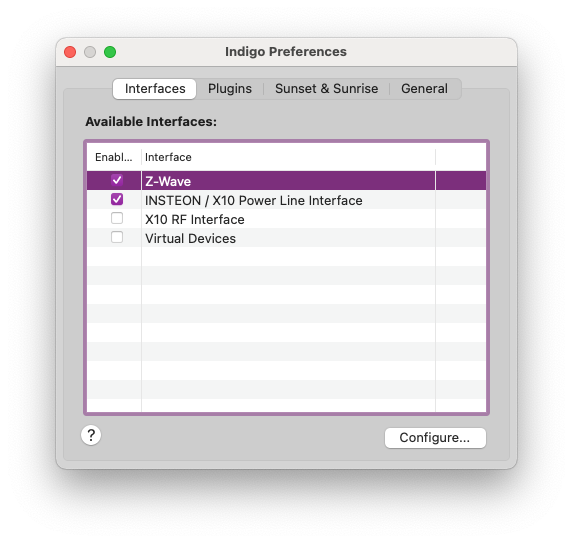
You can enable/disable an interface just by clicking the checkbox (rather than selecting the Enable/Disable menu item on each interface's submenu). Likewise, if an interface has any configuration options, you can open those dialogs by selecting the interface and clicking on the Configure... button (rather than selecting the Configure... menu item on each interface's submenu).
For detailed information specific to the interface, look to the appropriate guide for the technology: